Every Student
Deserves to
Understand — LanguageBridge, audio-first language accessibility for preliterate ESL students
The award-winning audio-first Chrome extension that helps preliterate English learners access classroom content, instantly.
- Audio-first translation for preliterate learners
- FERPA-compliant & school-approved
- Works on any Chromebook instantly
Student stories from LanguageBridge classrooms

Amira's Journey
Amira is an Afghan refugee who can't read Dari, her own language. Google Translate doesn't even support Dari audio. LanguageBridge reads her classroom content aloud in Dari so she can finally participate.
Hover or focus to read Amira's story →

Abdullah's Progress
Abdullah is learning English while keeping up with grade-level work. With Talk to Teacher, he can communicate directly with his teacher, ask questions, share concerns, and build trust without relying on a student interpreter.
Hover or focus to read Abdullah's story →
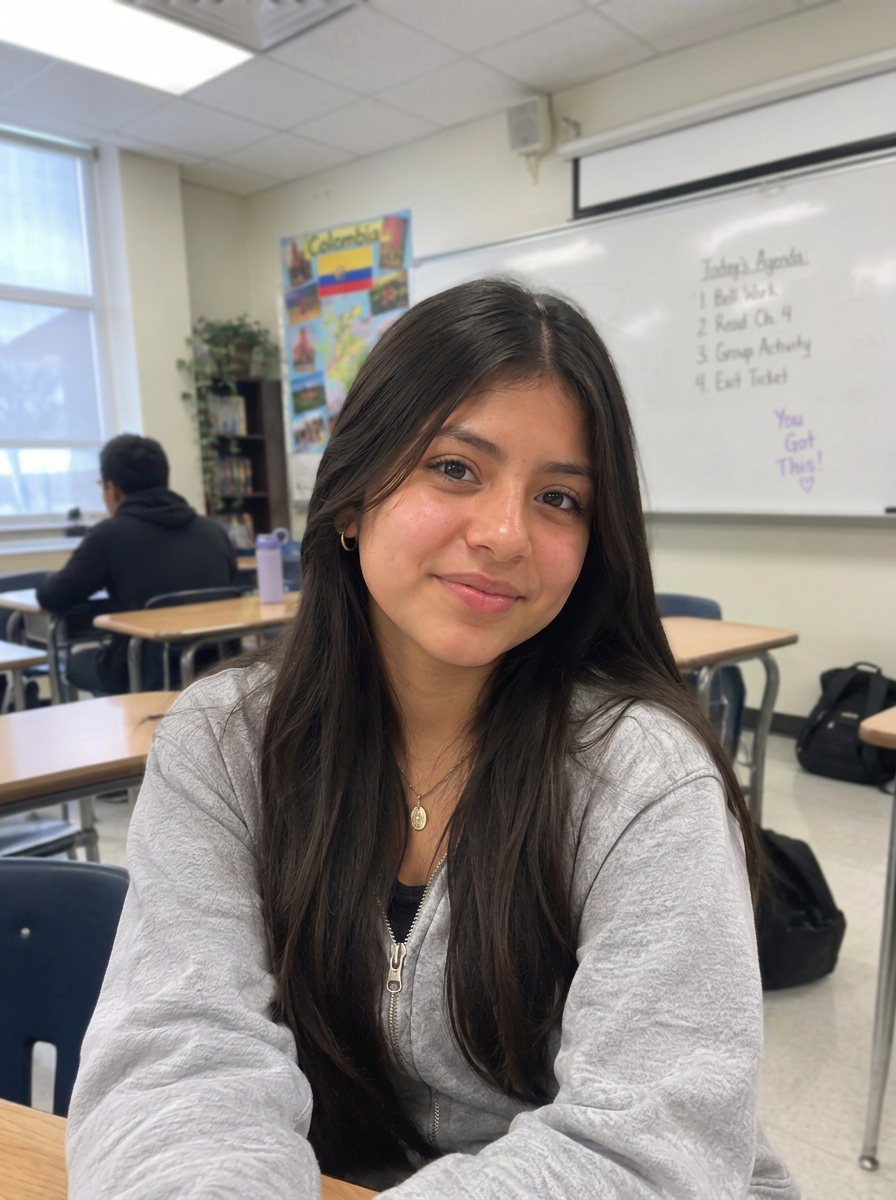
Sophia's Breakthrough
Sophia moved from Colombia and constantly translates two languages in her head. It made her feel "not smart." With LanguageBridge, she highlights any text and the glossary generates word-to-word translations side by side.
Hover or focus to read Sophia's story →
Amira's Journey — story 1 of 3
Real students. Real impact. Use the arrows or arrow keys to explore.
Award-Winning Tech
2026 Accelerate Grand Prize
FERPA Compliant
School data protection certified
Title III Eligible
Qualifies for federal funding
Azure Security
Enterprise-grade protection
Three Tools That Work Together
LanguageBridge isn't just translation. It's a complete language accessibility platform designed specifically for preliterate SLIFE students.
Audio Translation
Translates any text on any website with authentic, contextualized translations. Audio playback ensures preliterate students can access content even when they cannot read in any language yet. Works instantly on Google Classroom, Canvas, and any website.
Tiered Language Glossary
Subject-specific terminology with definitions and audio in students' home languages. Builds academic vocabulary systematically across content areas (math, science, social studies). Students learn content AND language simultaneously.
Talk to Teacher
Two-way translation for quick check-ins, assignment clarifications, and personalized feedback without pulling other students from class to interpret. Maintains student privacy and dignity while ensuring clear communication. Eliminates the compliance risk of using untrained student interpreters.
All three tools work seamlessly together in one Chrome extension. Students use what they need, when they need it, with one keyboard shortcut (Alt+Shift+L).
Built For The People Who Matter
Different roles, same goal: help every student succeed
Compliance Officers
- ✓Zero data tracking or storage
- ✓FERPA and COPPA compliant
- ✓No Title VI violations
- ✓District-level controls and reporting
Your ELL program meets federal requirements. Sleep better at night.
ESL Teachers & Students
- ✓Three integrated tools: audio translation, tiered glossary, and Talk to Teacher
- ✓Audio support for preliterate students in 16 languages
- ✓Works in Google Classroom, Canvas, and any website
- ✓One keyboard shortcut (Alt+Shift+L) for instant access
Teachers love how simple it is. Students finally understand their assignments.
Curriculum Coordinators
- ✓Title III fundable
- ✓District licensing model designed for K-12 budgets
- ✓Contact us for district licensing details
- ✓ROI positive in first year
ROI is immediate. Implementation is painless. Budget justification writes itself.
How It Works (For Your District)
Simple setup. Immediate impact. Zero maintenance.
Simple Setup
IT installs via Google Admin Console in 30 minutes. Mass deployment to all student devices.
Immediate Access
Students start using same day, no training needed. Works in Google Classroom, Canvas, and any website.
Zero Maintenance
Auto-updates, no servers, no support burden. It just works, 24/7.
Bring LanguageBridge to your students
Tell us where to send setup details, district pricing, and compliance documentation. Justin replies personally within one business day.
Trouble with the form? Open it in a new tab.